Screens are laid out the way QuickBooks users expect, so new people are up to speed in minutes.
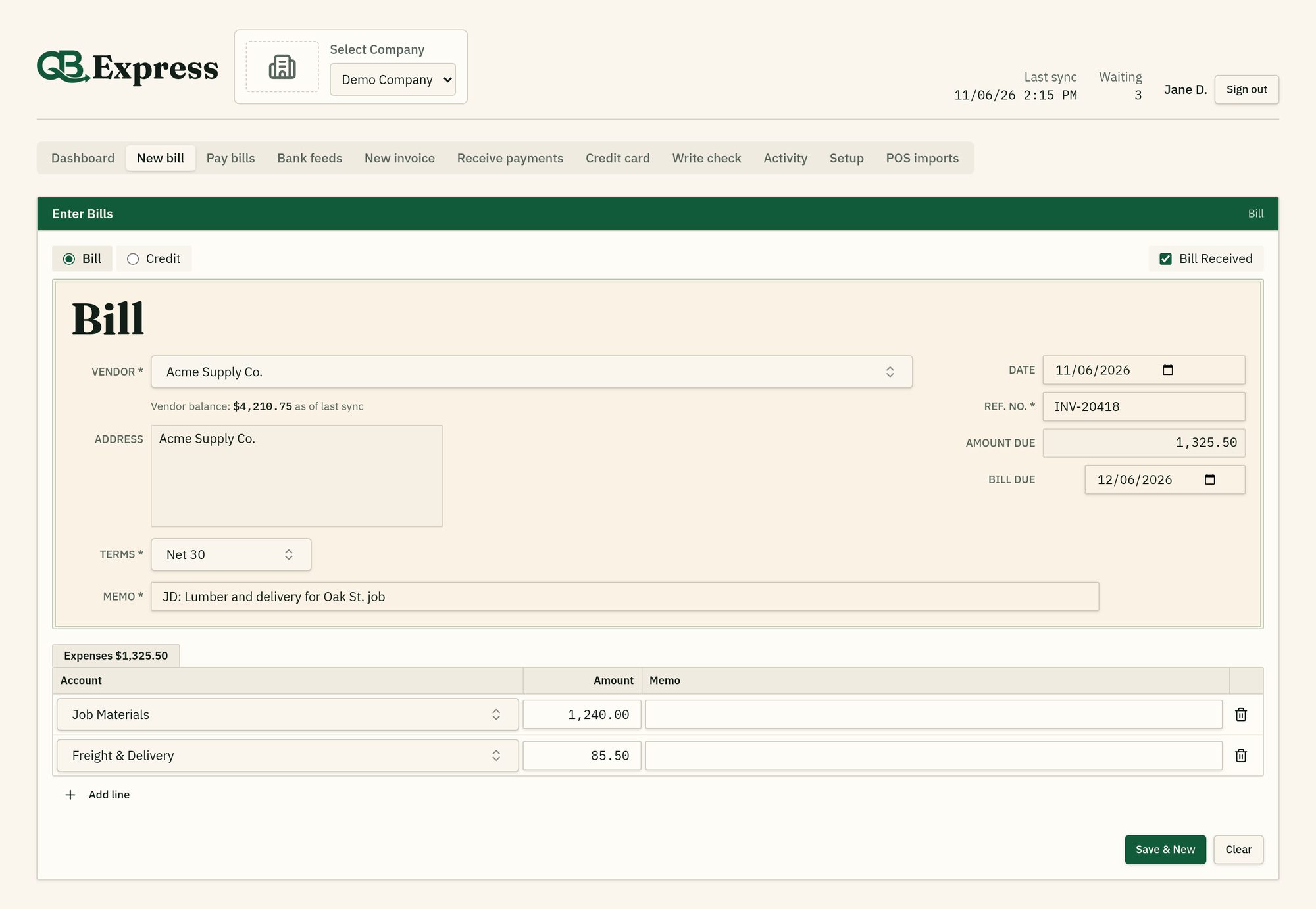
Data entryEnter bills & vendor credits
Expense lines by account or item, terms, due dates and memos. Bill numbers are kept unique for each vendor.
Data entryInvoices & credit memos
Customer, A/R account, Rep, P.O. No., Ship To and terms, with QuickBooks sales tax and the full total shown before you save.
Data entryWrite & print checks
Write checks from your bank accounts and print them on pre-printed check stock, with field positions you can line up for each company.
Data entryCredit card charges & refunds
Record card charges and credits against the right QuickBooks credit card account.
Data entryReceive payments
Apply customer payments to open invoices with discounts and available credits, and choose the deposit account, just like QuickBooks.
Data entryPay bills
See every open bill, take discounts, apply vendor credits and pay by check or card. A running total shows what you owe across all A/P accounts.
SpeedSearch-as-you-type lists
Vendors, customers, items and accounts come straight from QuickBooks. Find any of them by typing, with * wildcards.
SpeedBuilt-in calculator
Type 125*4+18.50 into any amount box and it works out the total for you.
SpeedKeyboard-first entry
Enter moves to the next field, boxes select their contents so typing replaces them, and text stops at QuickBooks' own length limits.
SpeedNew names on the fly
Add a missing vendor or customer while you type. It's confirmed and created in QuickBooks before the entry posts.
SpeedSortable payment grids
Click any column in Pay Bills or Receive Payments to sort by date, number, amount or balance.
AccuracyAI duplicate review
Every bill is checked against recent entries. Likely duplicates are held until someone on your team confirms them.
AccuracyChecked against QuickBooks first
Before adding an entry, QB Express asks QuickBooks whether that ref number already exists, so nothing goes in twice.
AccuracySafe retries
If a sync is interrupted, the entry is checked against QuickBooks before it's ever sent again. Payments are never doubled.
AccuracyEdit before it syncs
Open any waiting entry from Activity, fix it, and it stays out of the sync until you save.
AccuracyRight file, every time
Each company syncs only to its assigned company file. If the wrong file is open, nothing is sent.
SyncLive Web Connector sync
Lists, balances and open items come down from QuickBooks; new entries go up in the right order: names first, then bills and invoices, then payments.
SyncWindows companion agent
One small agent runs every company from the system tray, shows live progress, and only closes QuickBooks if it opened it.
SyncSchedules & sync hours
Set the hours and weekdays each company syncs, so nothing runs overnight. Click Sync now any time you need it.
SyncFast incremental updates
Only changed vendors, customers and items are downloaded, with a full refresh daily or whenever you ask for one.
SyncSafe automatic updates
The agent updates itself and rolls back automatically if an update fails.
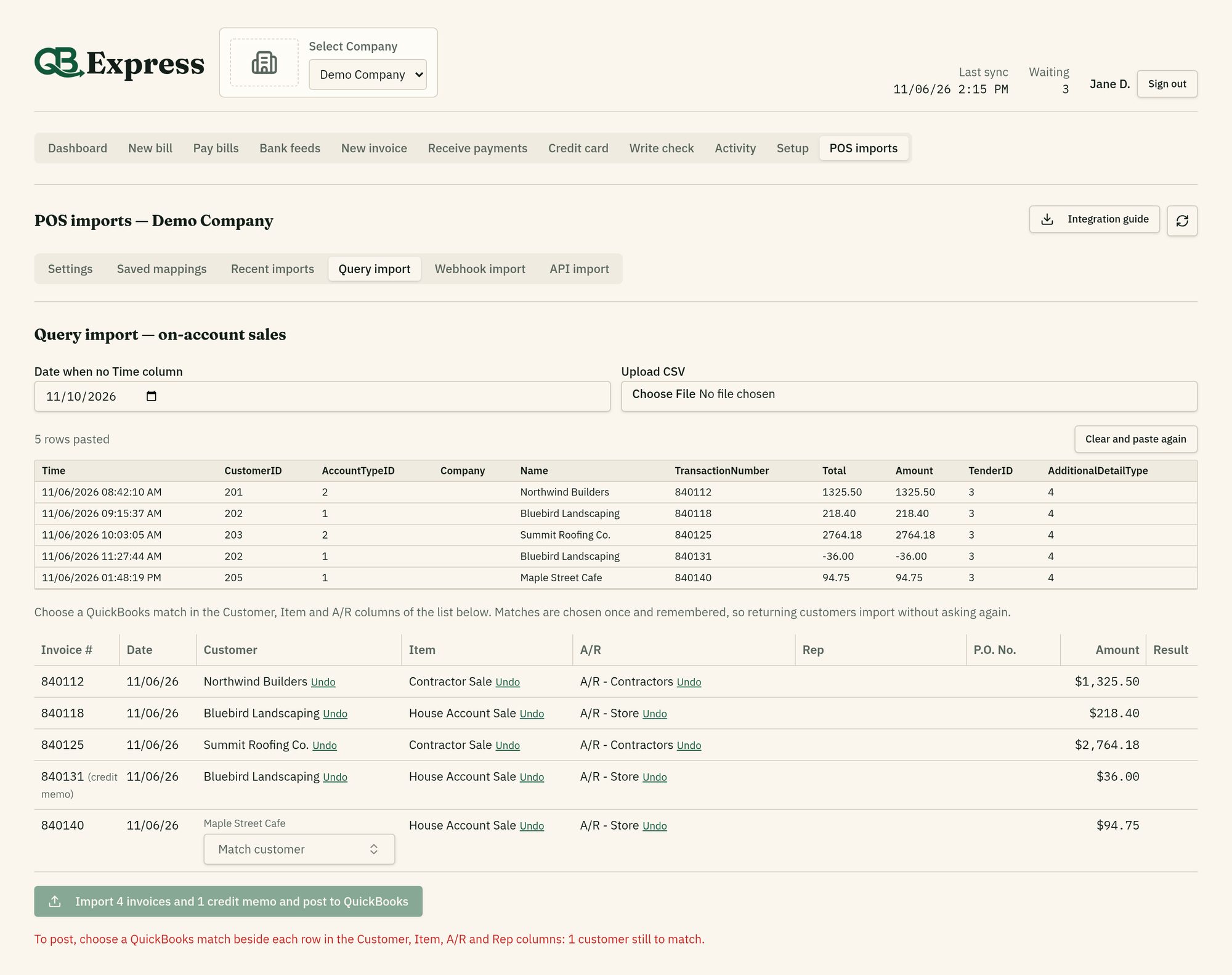
AutomationPOS imports
Bring in invoices, credit memos and customer payments from your point-of-sale system by webhook, API or pasted query results. Mappings are remembered.
AutomationReview before posting
Imported entries wait for a person to match and confirm them, or you can switch on auto-post per company. You see the original data and any duplicate warnings.
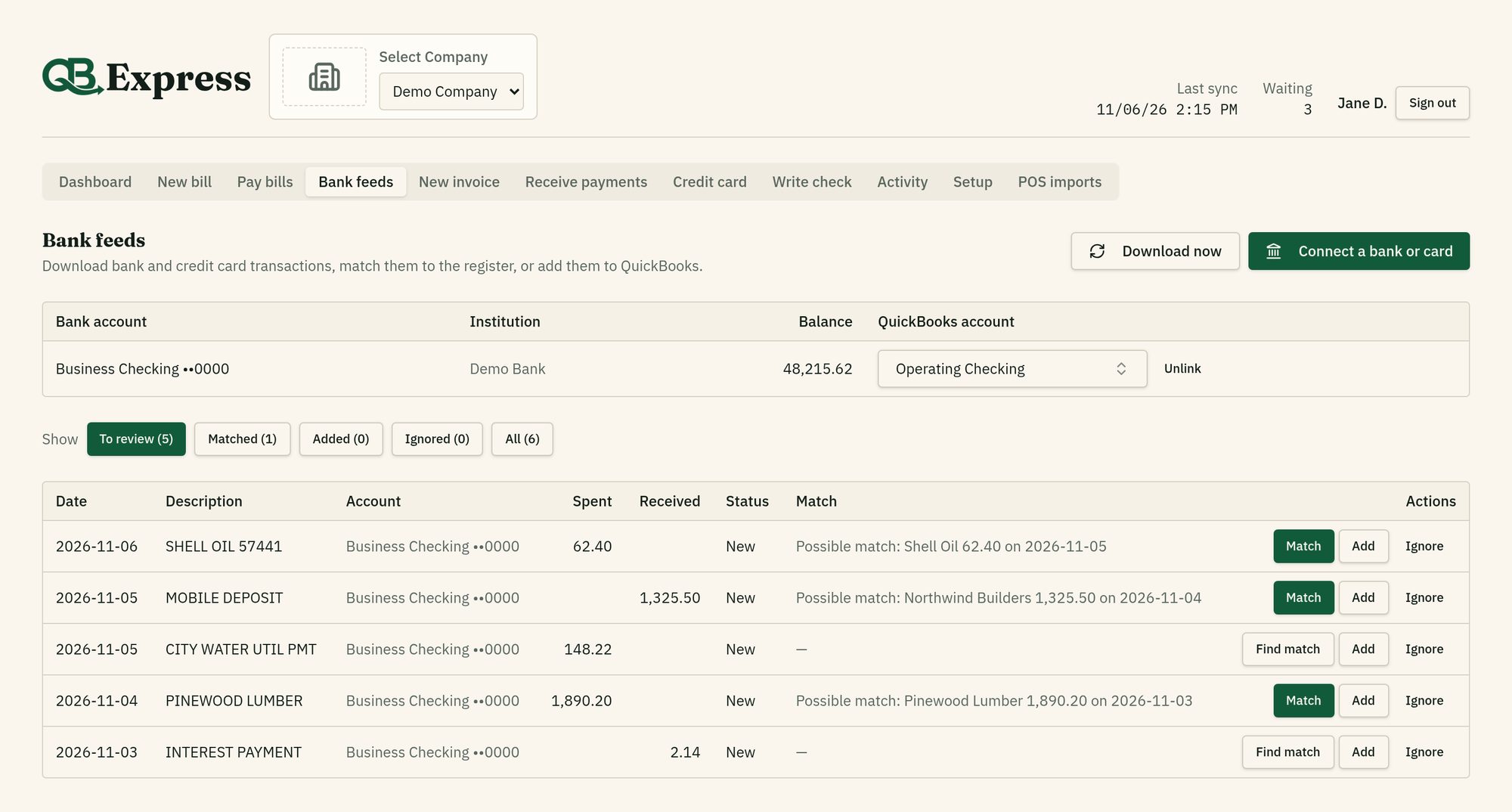
AutomationAwaiting activationBank feeds
Connect bank and credit card accounts. Match each download to your register, or add it as a check, deposit, charge or refund with a vendor or customer.
Built and ready; bank downloads switch on once our banking data provider activates live access.
Team & visibilityMany companies, one sign-in
Switch between QuickBooks company files, each with its own logo, lists and sync, and grant each person only the companies they need.
Team & visibilityDashboard & registers
Bank, credit card and A/R balances at a glance. Click a bank account to open a QuickBooks-style register.
Team & visibilityActivity log
See who entered what and when, with status, filters by date, company and person, and clear next steps for anything that needs attention.
Team & visibilityUser rights
Turn each screen on or off per person: bills, invoices, checks, check printing, cards, payments, Pay Bills, bank feeds, approvals and more.